Getting Started with The Hunt: Roblox 20
Hub, Year Zero cube, portal loop, claims, Plus access, Classic theme, and mobile tips.
The Hunt: Roblox 20 is Roblox’s twentieth-anniversary event: a chronological timeline of twenty featured games from 2006 through 2025, each with one quest and one free UGC reward. Public play opens September 17, 2026 at 3 PM PT and closes September 28, 2026 at 10 AM PT. Roblox Plus members can enter the hub early from 9 AM PT on September 17. This guide gets you from first join to a clean claim loop so you never lose a badge to a missed return trip.
Bookmark the official hub place — The Hunt: Roblox 20 — and keep this wiki open for the full all-quests walkthrough, the deep Pizza Place 2010 guide, claim-rewards troubleshooting, and Year Infinity once you finish the historical track.
Find and join the Hub
Search The Hunt: Roblox 20 on Roblox or open the hub place ID above. Join from the experience page rather than random friend teleports when you can; a clean join reduces odd lobby states on busy launch days. After you load, you should see a timeline-style lobby with year markers and a large Roblox cube near the center. That cube is the Year Zero entry point for new players.
If the lobby looks empty or portals refuse interaction, leave and rejoin once. Event hubs spike hard at open; a second join often restores interactions that failed under lag. Confirm you are in the anniversary experience itself, not only a featured game’s normal place — the claim pedestals and year unlocks live in the hub.
Year Zero cube and the first portal
On your first visit, walk into or touch the Year Zero cube. It teleports you toward the opening era and starts the chronological track. Hub progression is gated: clearing 2006 unlocks 2007, and so on through 2025. You cannot skip years on the hub timeline even if you already know later games.
After the cube send, enter the year’s portal or join prompt for the featured experience. Complete that year’s quest objective inside the game, watch for the badge toast, then leave and return to the hub. Claiming is a hub action — finishing a quest alone is not the finish line. When the pedestal claim succeeds, the next year opens and the matching UGC becomes available in inventory.
The portal loop you should memorize
Treat every year as the same four-beat loop:
- Stand on the unlocked year in the hub and enter its portal.
- Finish the anniversary quest in that featured game until the badge registers.
- Return to The Hunt: Roblox 20 hub (do not assume the game will teleport you back automatically).
- Claim the year’s reward at the pedestal or claim UI, then confirm the next year unlocked.
Repeat until 2025 is claimed. That loop is the entire event spine. Players who grind five games without returning often think the hub is “stuck” when they simply never claimed. If a year looks locked after a successful badge, read the claim rewards guide before restarting the quest.
You can also join featured games directly from Roblox search and complete their event quests there. Direct clears still need a hub visit to claim and advance the timeline. Direct play is useful when a portal is crowded or a friend already has the year open, but the hub remains the source of truth for progression.
Claim flow and inventory check
After each badge, open the hub claim for that year. Successful claims usually:
- Grant the year’s wearable UGC accessory
- Mark the year complete on the timeline
- Unlock the next portal
Then open your avatar inventory and equip or favorite the item so you can spot missing rewards later. Early classics include Crossroads Tower (2006), Duel of the Heights (2007), Brick-Blast Jetpack (2008), and Crest of the Canyon (2009). Mid-timeline standouts include Builder Brothers’ Balancing Act from Work at a Pizza Place and later pieces such as The KittyKånka and Grown From a Garden. For the complete year list with tips, use All Quests.
If the badge exists but the pedestal stays locked, rejoin the hub, wait a few seconds for replication, and try claim again. Avoid hopping servers mid-claim. Persistent locks are covered under troubleshooting in the claim guide.
Roblox Plus early access and Classic theme
Roblox Plus subscribers get early hub access at 9 AM PT on September 17, six hours before the public 3 PM PT open. Use that window to clear early KO years and learn the claim loop before queues peak. Plus perks tied to the anniversary also highlight Classic presentation options — including Classic theme / classic avatar framing depending on what Roblox surfaces in your client — and may call out extra exclusive cosmetics beyond the twenty main quest items. Non-Plus players still complete the full 2006–2025 track during the public window; Plus mainly buys time and presentation extras, not a separate quest path.
If you are Plus, finish at least through the first combat classics (Crossroads, Sword Fights on the Heights IV, Rocket Arena, Chaos Canyon) during early access so public launch time can go toward longer story quests like Pizza Place.
Classic-era play tips before you specialize
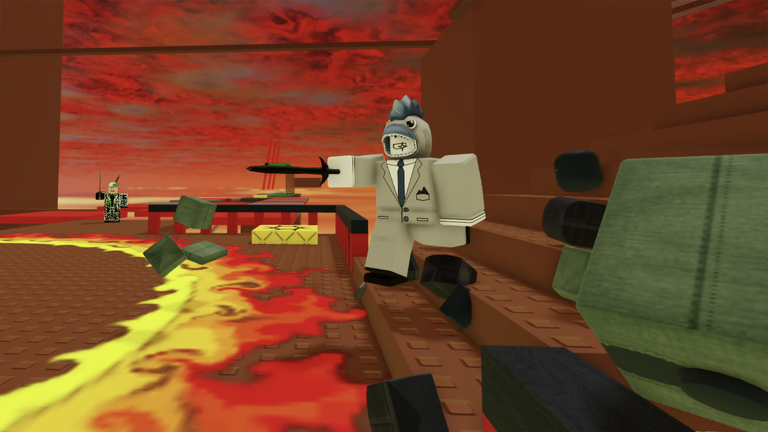
The first four years are short combat or collection objectives. Warm up movement and camera before you hit story-heavy stops. 2006 Crossroads needs three knockouts for Crossroads Tower. 2007 Sword Fights on the Heights IV needs four swords for Duel of the Heights. 2008 Rocket Arena needs five KOs for Brick-Blast Jetpack. 2009 Chaos Canyon needs four KOs for Crest of the Canyon. These are quick when servers are fair and painful when lag spikes — switch servers if hits refuse to register.
2010 Work at a Pizza Place is the first major softlock risk and deserves its own page: follow the dedicated Pizza Place walkthrough (solo servers strongly recommended). After that, Natural Disaster Survival, Base Wars, Apocalypse Rising 2, Murder Mystery 2, and the later modern hits each change pace. Use the tier list when you want a difficulty ordering, and players for creator / community context around featured experiences.
Mobile and performance tips
The Hunt is playable on mobile, but some featured games feel better on keyboard. On phones and tablets:
- Lower graphics if the hub or combat maps stutter during claims.
- Use headphones so badge toasts and dialogue cues are harder to miss in noisy Pizza Place / story quests.
- Prefer portrait-friendly UI moments for claims; rotate to landscape for sword and rocket combat years.
- After each quest, fully leave to the hub instead of relying on in-game “return” buttons that sometimes fail under load.
- Keep a second device or browser tab with this wiki’s quest checklist if you cannot alt-tab easily.
If a featured game is unavailable in your region or fails to load, try another year only after confirming whether your hub gate allows it — usually it will not. Work the available unlocked year, then check updates for hotfix notes.
What to do in your first hour
- Join the hub and touch the Year Zero cube.
- Clear 2006–2009 combat classics and claim each UGC at the hub.
- Start 2010 only when you can focus; use a solo server and the Pizza Place guide.
- Keep claiming after every badge — never batch five unclaimed years.
- Skim codes so you know this event is quest-driven (no promo-code shortcuts for the main UGC track).
- Plan later nights around longer stops (Jailbreak rescues, World // Zero tower, Grow a Garden deliveries) before the September 28, 10 AM PT close.
Once all twenty historical years are claimed, the hub opens Year Infinity — twenty more games representing 2026 and beyond. Details and timing strategy live on the Year Infinity guide.
Common beginner mistakes
- Leaving a quest the moment the badge pops without returning to claim.
- Assuming direct game joins advance the hub without a pedestal claim.
- Starting Pizza Place in a crowded public server and softlocking the detective / time-machine steps.
- Ignoring Plus early access when you already subscribe.
- Burning the final days on easy years and discovering long quests still unfinished on September 27.
Play the loop deliberately, claim every year, and use the sibling guides linked above whenever a stop fights you. The anniversary window is finite; clean process beats speedruns that skip claims.
Frequently Asked Questions
Quick answers for The Hunt: Roblox 20 quests, UGC, and Hub progression.
Where do I start The Hunt: Roblox 20?
Join the official The Hunt: Roblox 20 hub, touch the Year Zero cube in the lobby, then enter the first unlocked year portal and complete that game’s quest before returning to claim.
Do I have to play years in order?
Hub progression is chronological from 2006 to 2025. You can sometimes clear quests by joining games directly, but you still claim and unlock the next year at the hub in order.
When does Roblox Plus early access start?
Plus members can enter the hub from 9 AM PT on September 17, 2026. Public access begins at 3 PM PT the same day, and the event ends at 10 AM PT on September 28, 2026.
I finished a quest but the next year is locked. What now?
Return to the hub and claim the year’s pedestal reward. Badges alone do not unlock the timeline. See the claim rewards guide if the pedestal stays locked after a rejoin.
Are there promo codes for the main UGC items?
The twenty historical rewards are quest-earned through the hub loop. Check the codes page for any separate promotions, but do not expect codes to replace year quests.